
We value your privacy
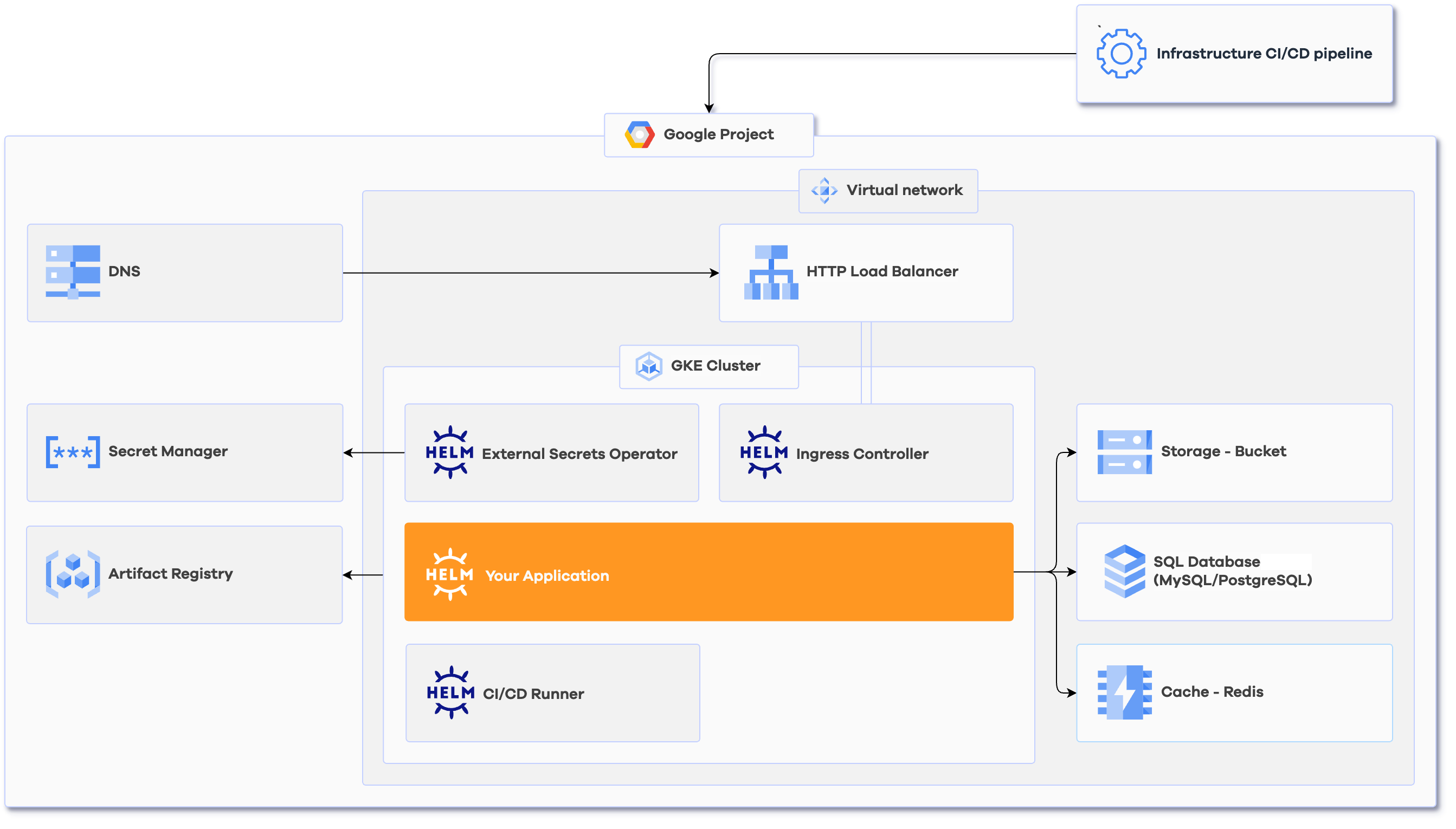
| Components | |
|---|---|
| Artifact Registry in Google Cloud | |
| GCP Kubernetes Cluster | |
| Flexible VPC setup in GCP | |
| Kubernetes ESO for Google Cloud Secret Manager | |
| DNS Management |
Google Cloud DNS
|
| Infrastructure CI/CD pipeline |
Drone CI
|
| Ingress Controller |
Traefik
|
| CI/CD Runner |
Gitlab CI Runner
|
| Caching | Memorystore |
| Object Storage | Cloud Storage Buckets |
| SQL Database | MySQL and PostgreSQL |
| Helm Chart | |
| Setup by Corewide team | |
| Post-implementation training | |
| 2-week warranty support | |
| Documentation |
Once you have a Corewide Solutions Portal account, this one-time action will use your browser session to retrieve credentials:
shellterraform login solutions.corewide.com
Download Infrasnap archive from My Library page, unpack it to a new directory and initialize a new project there:
 shellcd infrasnap/
git init
git add .
Follow the instructions in README.md:
terraform.tfvars, or using environment variables)
infrasnap.yml parameters based on the reference belowbackend.tf
Initialize the setup, create the environment you configured in infrasnap.yml and
provision
the infrastructure:
 shellterraform init
terraform workspace new <environment_name>
terraform workspace select <environment_name>
terraform apply
| Variable | Description | Type | Default |
|---|---|---|---|
cert_manager_email |
E-mail that Let's Encrypt cluster issuer will use to request certificates | string |
[email protected] |